All guidesCreate
The board
The board is the whiteboard in your pocket. You drop in a formation with the team's real players, draw a run and show it to the players on the spot, without creating an exercise. What you draw is not saved: when you want to keep something, create a tactic in the library instead.
Where to find it
- Board
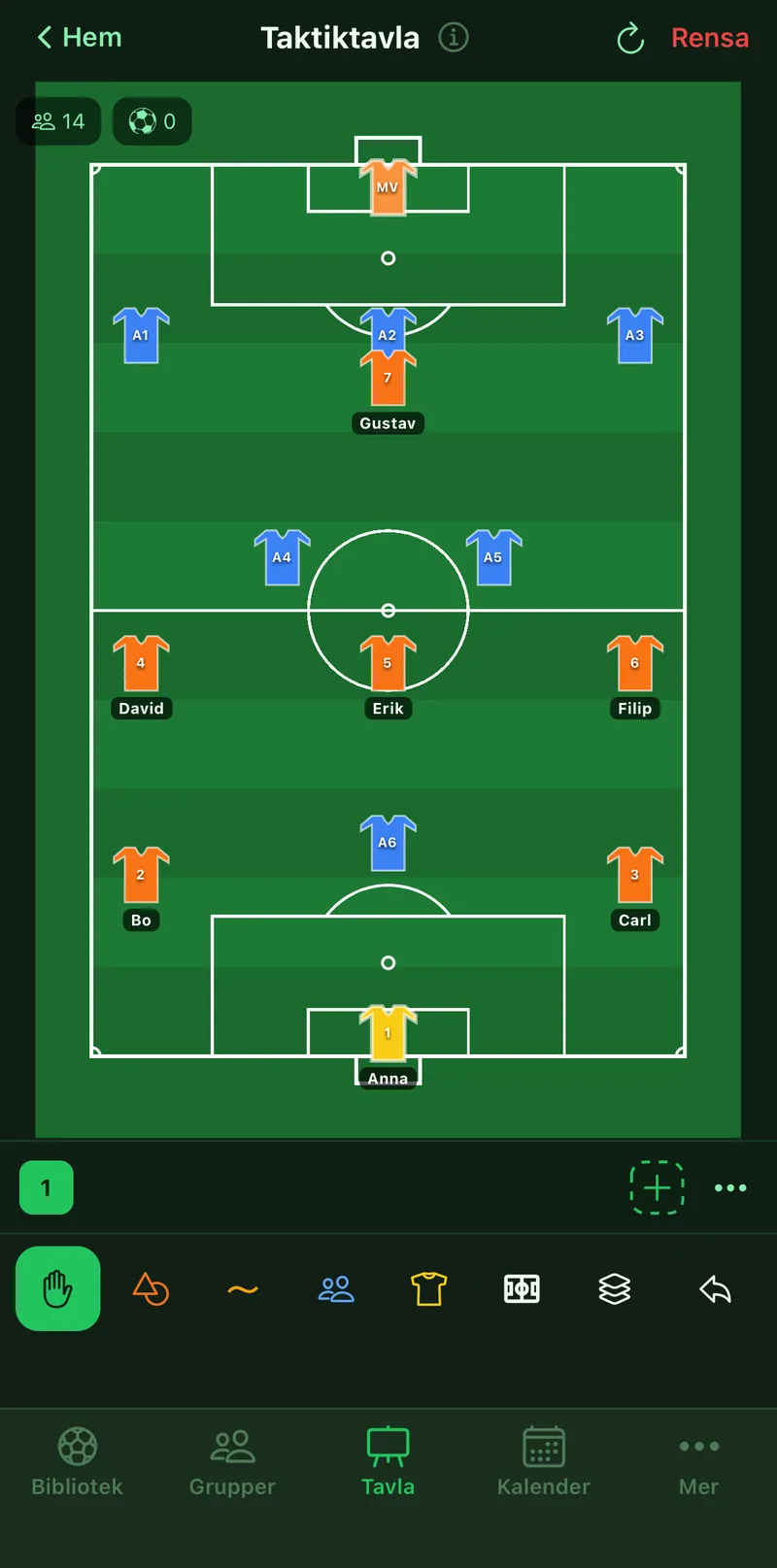
1Put the team out
Tap the formations button, choose Home, your group's squad and format, and tap a formation. The players land on the pitch with name and number. Choose Opponent and do the same for the other side.
2Draw what you want to show
The same tools as in the field editor: lines for runs and passes, objects for cones and balls, the hand to move. See the guide The field editor for every tool.
3Show it step by step
Tap plus in the slide strip, move the players to where they go and tap play. The movement animates between slides, handy when walking through an attack.
4Start over
Tap Clear in the top right and the board is empty again. The board does not remember what you drew between visits.
5When you want to keep it
Go to Library, the Tactics tab and tap New tactic. It is the same editor, but the result is saved, can be shared to the group and put into a session.