All guidesPlan
Lineups
A lineup is the team's starting eleven on a pitch: formation, who stands where and who sits on the bench. It is built from the group's squad, shared automatically with the other coaches and becomes the starting lineup when the match is run live. Lineups are always private to the group and cannot be published.
Where to find it
- Groups
- open the group
- the Lineups tab
- New lineup
1Name it and pick a format
Enter a title, for example Starting XI vs City, and choose Format, 7v7 say. Then tap the Pitch tab.
2Choose a formation
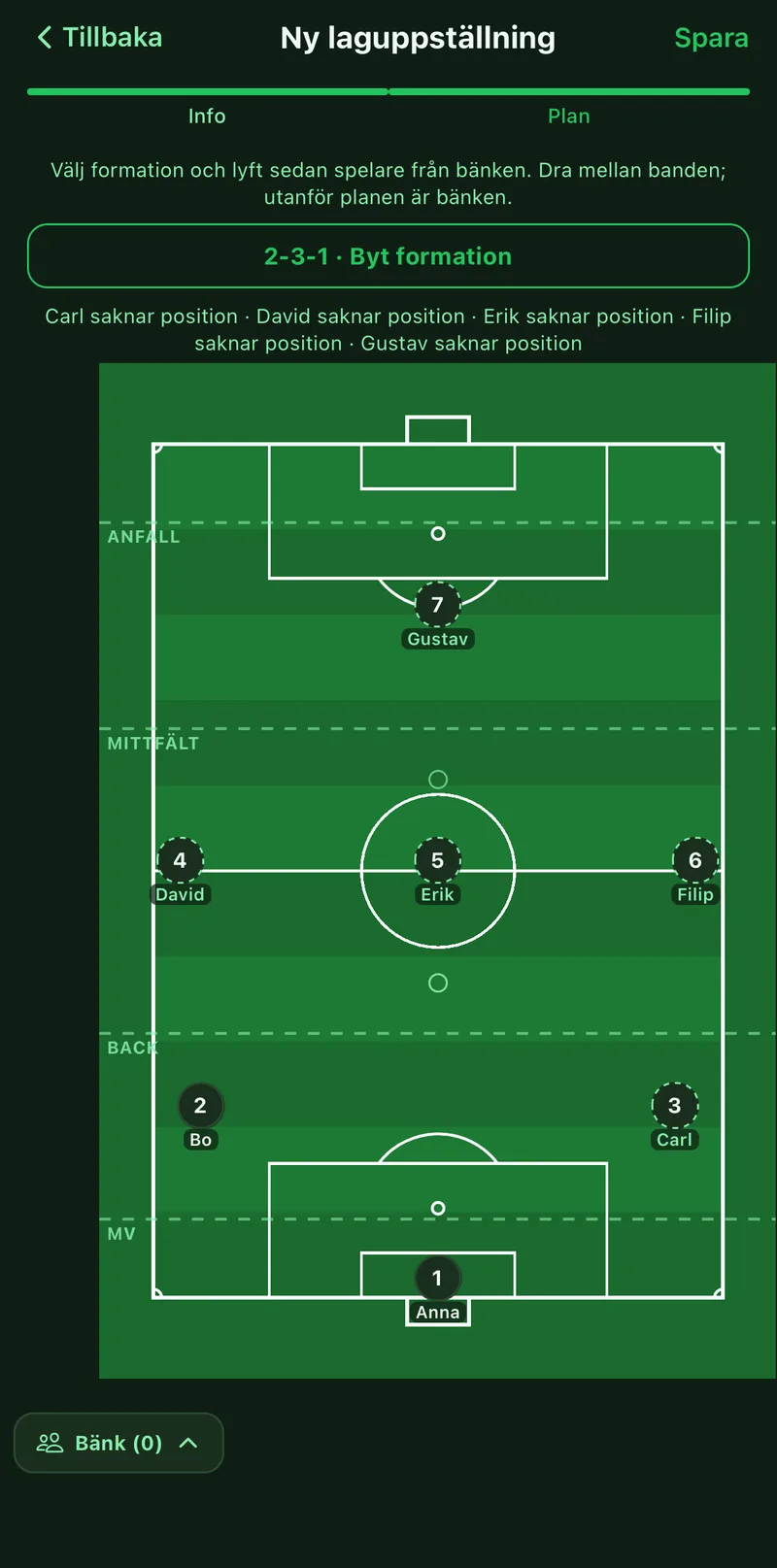
Tap Choose formation and pick one for the format. The bands for attack, midfield, defence and goalkeeper are drawn on the pitch.
3Pick the players
Tap Bench at the bottom to open the squad. Tap a player to lift them onto the pitch, into the first free spot in their band. Drag a player between bands to change position, or off the pitch to put them on the bench.
4Save
Tap Save. The lineup lands on the group's Lineups tab, visible to every coach in the group.
5Link it to the match
Open the match in Calendar and tap Pick under Lineup. When you then tap Start match the starting eleven and the bench are already filled in.